
5 min read
The Complete Guide to Plumbing Website Design
Discover expert plumbing website design strategies that boost conversions, mobile performance, and local SEO for your plumbing business.
Read more

November 18, 2025
Webflow content management is a visual-first, integrated system that lets teams create, edit, and publish website content directly on the page—without writing code or working in disconnected backend dashboards.
Quick Answer: What Makes Webflow Content Management Different
Most website platforms force a choice: easy content management with limited design control, or full design freedom that makes every update a technical project. Webflow takes a different path. It combines the visual freedom of a design tool with the power of a professional CMS. Your marketing team can update blog posts, add product listings, or change homepage content—all while seeing exactly how it will look, without touching code or waiting on developers.
This matters because your website is your most important marketing asset. When content changes take weeks, you miss opportunities. When design and content live in separate systems, maintaining brand consistency is a battle. The traditional split is outdated; modern businesses need both.
I'm Jennifer Bagley, and at CI Web Group, we've seen how the right Webflow content management approach empowers home service companies to move faster while maintaining design quality. In this guide, I'll show you how Webflow's system works and why it’s a game-changer for businesses that refuse to compromise.
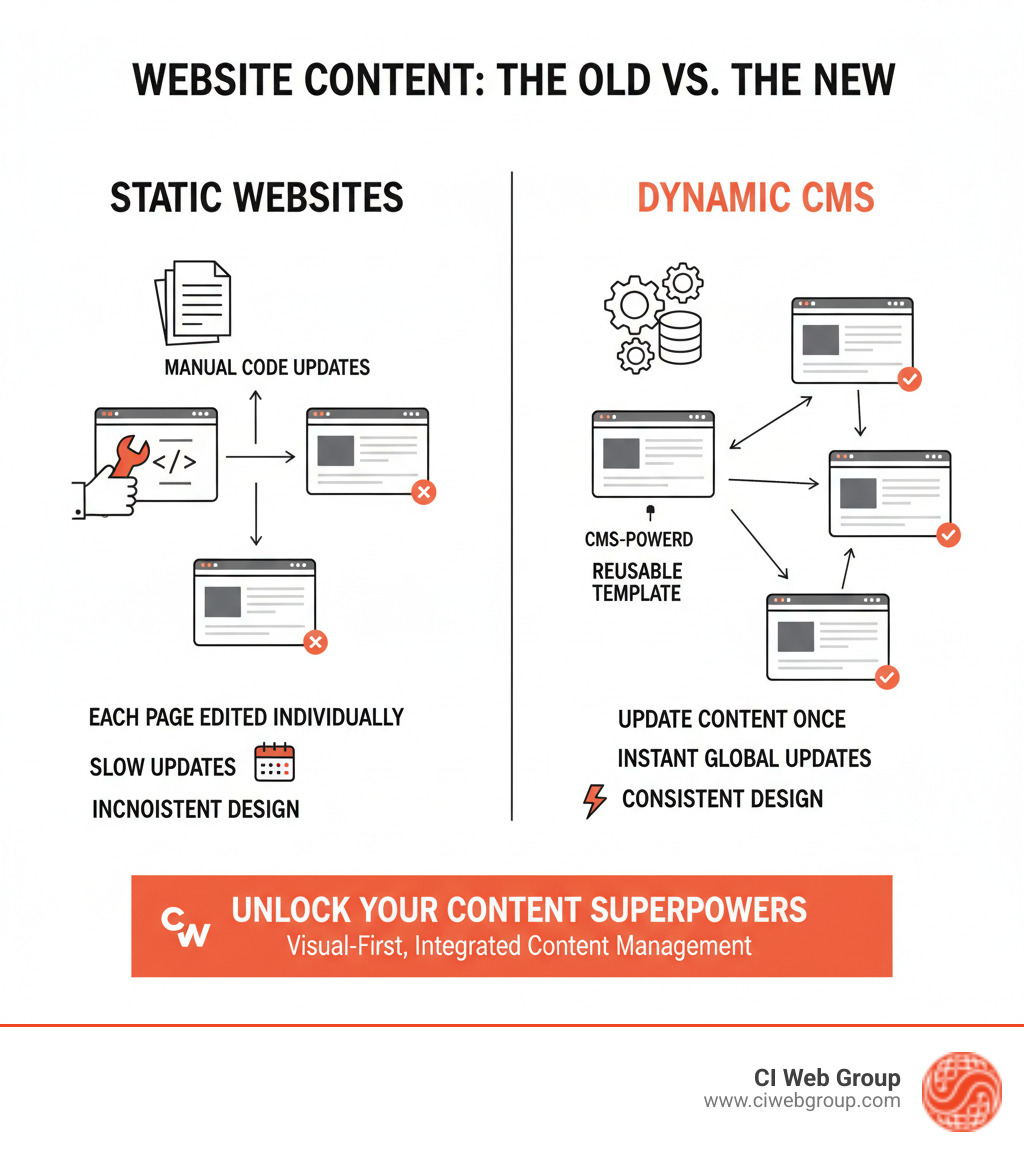
Webflow content management basics:
A Content Management System (CMS) is the software that lets you create, manage, and publish website content without coding every page. It’s your website's command center. Without one, every simple change becomes an expensive, time-consuming project for a developer.
Traditional platforms often force a frustrating choice: a powerful but complex system, or a user-friendly builder locked into rigid templates. Content teams type into bland backend forms, hoping it looks good on the live site, while designers work separately. It's an inefficient, disconnected process.
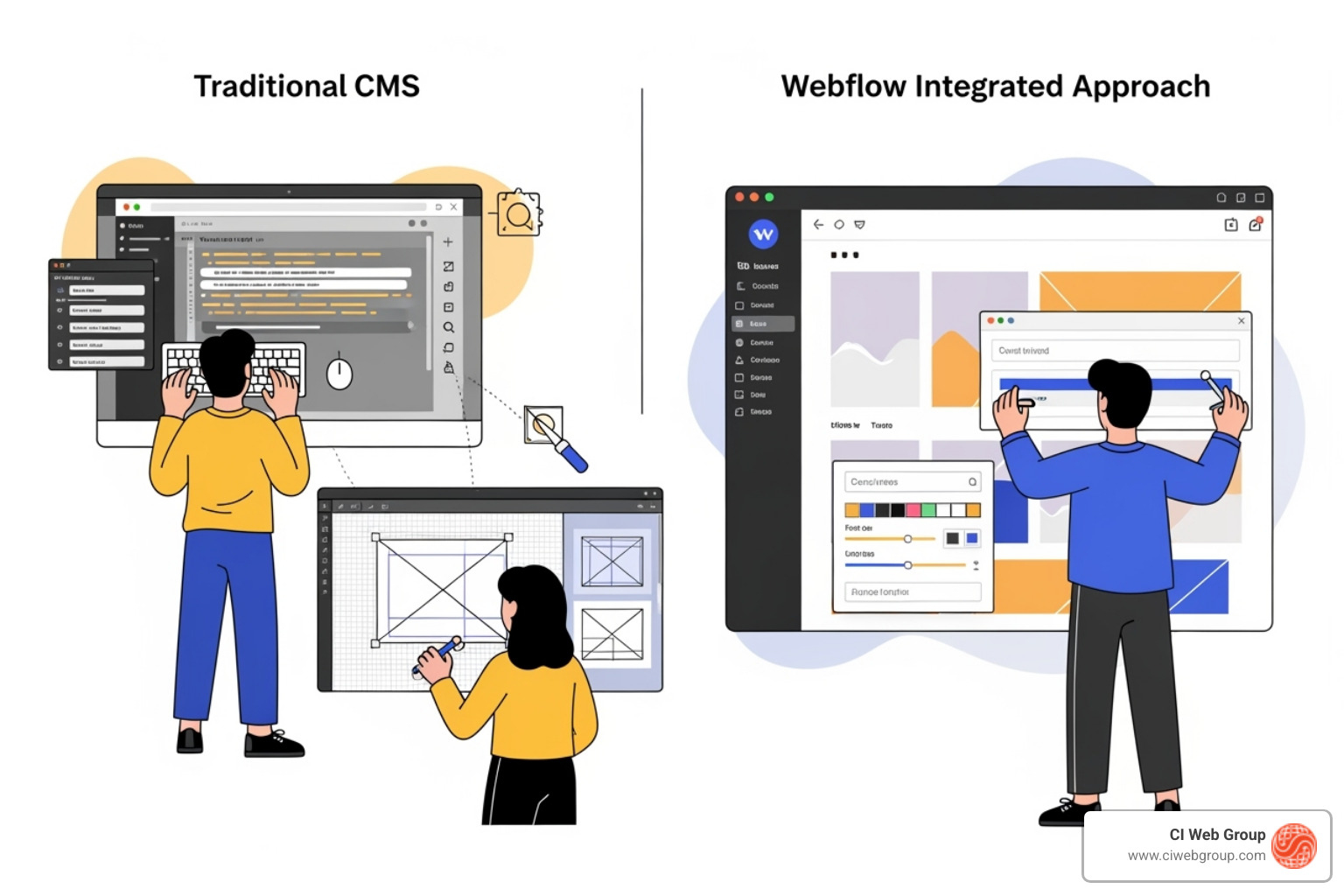
Webflow content management breaks this outdated model. It brings content and design together on one visual canvas. Your marketing team can update a blog post or change homepage content while seeing exactly how it looks—in real-time, without code. This integration reduces developer dependency, speeds up your workflow, and lowers costs. Webflow combines the creative freedom of a design tool with the power of a professional CMS and the flexibility of modern headless architecture.
| Key Factor | Traditional CMS | Webflow's Integrated Approach |
|---|---|---|
| Ease of Use | Backend interface, often complex plugins for visual editing | Direct visual editing on canvas, intuitive for content teams |
| Design Control | Relies on themes/templates, significant coding for customization | Full visual design freedom, pixel-perfect control without code |
| Scalability | Can be resource-intensive, performance issues with many plugins | Built for scale, supports 100,000+ CMS items, optimized hosting |
| Content Updates | Backend forms, requires imagination for published look | On-page editing, real-time visual feedback |
| Collaboration | User roles, but often disjointed design/content workflows | Real-time on-canvas collaboration, integrated commenting |
| Flexibility | Plugin-dependent, can lead to bloat and security risks | Native features, composable APIs for best-of-breed tools |
More info about our Webflow Web Design services
With Webflow's visual canvas, you're not typing into a backend form and hoping for the best. You're editing directly on the page, seeing changes instantly. This on-page editing capability transforms how teams work. Your marketing manager can update service descriptions, and your office administrator can add new team member bios without calling for help. Everyone designs with real content, which means no more surprises when things go live.
For home service companies, this means your website stays current without becoming a bottleneck. Brand consistency becomes automatic because everyone works within your established design system. The biggest shift is reduced developer dependency. Your technical team can focus on building powerful new features instead of changing text on a service page. At CI Web Group, we've seen this empower our clients to publish changes confidently on their own.
Why we switched to Webflow for our clients
Webflow is also built with a composable architecture that connects to your other business tools. It uses a "headless CMS" approach, which means content storage is separate from its display. You can edit visually on your website and send that same content anywhere else—mobile apps, email campaigns, or third-party services. Your content isn't trapped.
This flexibility enables true API integrations across your tech stack. Connect your website to your CRM, flow booking requests into your scheduling system, or integrate payment portals. Webflow's App Marketplace and MACH-certified APIs make it possible. For our clients, this means their website becomes the hub of their digital presence, not an isolated island. You get the simplicity of visual editing with the technical power to build sophisticated integrations as your business grows.
Understanding modern CMS architecture
Learn more about MACH certification
To harness Webflow content management, you need to understand its building blocks. The system is designed to be intuitive for both designers and content creators, resting on four concepts: Collections (databases), Collection Items (individual entries), Collection Pages (item templates), and Collection Lists (ways to display items anywhere). Once you grasp how these fit together, managing large volumes of content becomes straightforward.
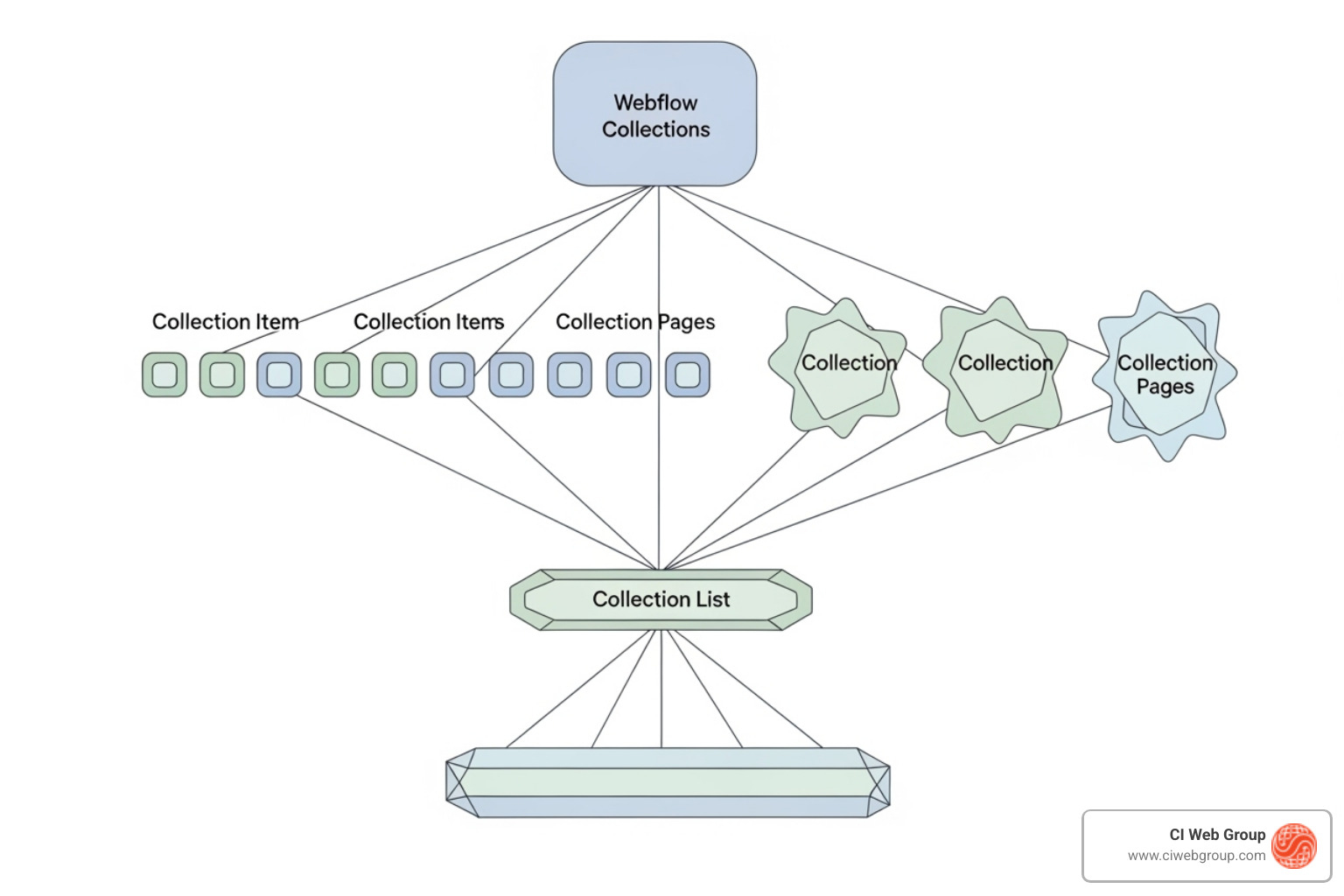
In Webflow content management, content organization starts with CMS Collections—databases for a specific type of information. A home service company might have Collections for "Services," "Team Members," or "Blog Posts." Inside each Collection are Collection Items, which are the individual entries like "HVAC Repair" or a specific blog article.
What defines each item are Custom Fields. These are the specific pieces of information for each entry. For a service, you might have fields for a name, description, image, and price. Webflow offers a wide range of field types, including plain and rich text, images and galleries, video, links, numbers, dates, and files for downloadable brochures. This robust content modeling system lets us build structures custom to your business needs.
To connect content, reference fields link one item to another (like a blog post to its author), and multi-reference fields link an item to several others (like tagging a project with multiple services). This keeps your content organized and interconnected.
Already have content elsewhere? Webflow makes migration easy. We can bulk import content using CSV files or connect to external databases via APIs for automated syncing.
Learn how to design and manage CMS content
Organizing content is half the battle; displaying it is where the magic happens. Webflow provides two powerful tools for this: Collection Pages and Collection Lists.
Collection Pages are master templates that automatically create a unique page for every item in a Collection. You design one blog post template, and Webflow generates a page for every article, pulling content from the appropriate fields. You design once, and Webflow populates hundreds of pages with perfect design consistency.
Collection Lists let you showcase dynamic content from any Collection on any page. Want to feature your newest blog posts on the homepage or display a grid of services? Simply add a Collection List, link it to the right Collection, and design how each item should appear.
The real power comes from filtering and sorting. You can show only items marked as "Featured," sort posts by date, or use conditional visibility to show a "New" badge only on recently added services. This dynamic approach means your marketing team can update content instantly while maintaining a beautiful, professional design, all without touching code.
Understanding CMS fundamentals
If every small content update requires a developer, your marketing is stuck in a bottleneck. Webflow content management solves this by bringing everyone—content creators, designers, and developers—together on the same visual canvas.
Instead of working in separate systems, multiple team members can work on content simultaneously, seeing changes in real-time. It’s a collaborative environment that means faster turnarounds, fewer miscommunications, and a website that stays current with your business.
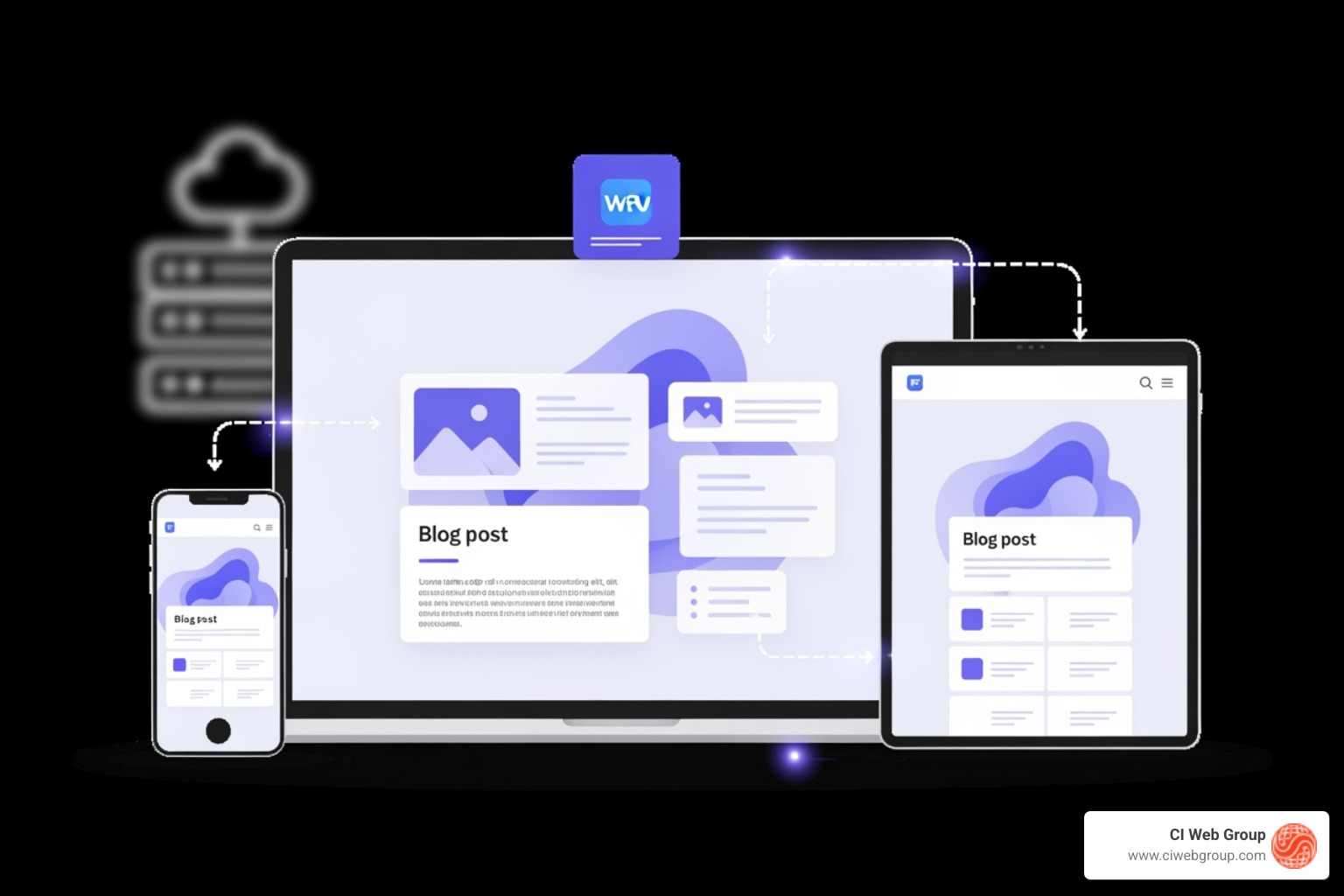
Edit Mode is where your content team gains independence. Instead of filling out backend forms, creators work directly on the page, seeing exactly how their content will appear to visitors. This visual feedback eliminates guesswork and dramatically speeds up content creation.
At CI Web Group, we set up roles and permissions so your team has the freedom to keep content fresh without worrying about breaking the design. Your content manager can edit blog posts and services, while an office manager updates team bios.
The built-in commenting feature streamlines feedback. Team members can leave comments directly on specific elements, making revisions clear and efficient. When content is ready, publishing controls are simple. You can publish a single item, stage several changes for a coordinated launch, or push everything live at once. Changes appear on your site within minutes.
For larger teams, features like page branching and version control allow different projects to happen in parallel without interference. The site activity log tracks every change, and you can roll back to a previous version if needed, giving everyone the confidence to move quickly.
A guide to using the Webflow Editor for clients
Home service companies in diverse markets like Houston often serve communities that speak multiple languages. Webflow content management makes this possible with its end-to-end localization features. You can manage different language versions of your entire site directly within Edit Mode.
True localization means adapting your message, terminology, and even images to fit cultural preferences. Webflow's locale management tools let you control all these elements to create genuinely personalized experiences. For home service companies, this capability opens doors to new customers. By speaking to people in the language they're most comfortable with, you build trust before they ever pick up the phone.
As your business grows, your website needs to grow with you. Webflow content management is engineered for this, providing enterprise-grade capabilities without the usual headaches.
A great website is useless if no one can find it. Webflow puts powerful SEO tools right where you need them. You get full control over meta titles, meta descriptions, URL slugs, and image alt text. Better yet, Webflow can automate this by dynamically pulling data from your CMS fields. For example, your blog post title can automatically become your meta title, ensuring consistency and saving time.
Webflow also integrates AI to make your team more effective. Webflow AI can help generate content drafts, create CMS items, and structure pages using your site's existing design system. It also provides optimization suggestions to improve both traditional SEO and AI Experience Optimization (AEO), ensuring your content performs well in all types of search. This combination of native SEO controls and AI assistance means your website works harder to attract qualified leads.
AI-Powered Website Personalization with Webflow
Webflow was built to handle serious scale. Webflow Enterprise supports upwards of 100,000+ CMS items, so whether you have a massive service catalog or thousands of blog posts, the platform performs without compromise.
A slow website costs you customers. Webflow delivers enterprise-grade hosting powered by Fastly CDN, a global network that ensures fast page loads for all visitors. It also provides high uptime guarantees, so your site stays available even during traffic surges.
Security is built-in. Every Webflow site includes an SSL certificate for data encryption. For larger teams, single sign-on (SSO) capabilities ensure secure access. A comprehensive site activity log tracks all changes, adding accountability and making it easy to audit who changed what and when. These features work behind the scenes so you can focus on your business.
Your website should connect with your other business systems. Webflow's composable architecture and MACH-certified headless CMS APIs make this possible. We can programmatically connect your website to your CRM, marketing automation software, or any other platform in your tech stack.
The Webflow App Marketplace offers direct integrations with popular tools like HubSpot, while custom code allows for bespoke solutions. This flexibility means you can build the exact tech stack your business needs, connecting best-of-breed tools rather than settling for a one-size-fits-all platform. At CI Web Group, we use this approach to turn your website into the central hub of your digital operation.
The Future of CMS is Composable
When we talk to home service company owners about Webflow content management, a few key questions always come up. Here are the answers to the most common ones.
Yes. Webflow is built to handle serious content volume, supporting upwards of 100,000+ CMS items on enterprise plans. It's perfect for large blogs, multi-location service pages, or detailed project portfolios.
The system is highly efficient. You design a single template for a content type (like a blog post), and every new item you add automatically uses that layout. For migrating existing content, Webflow supports bulk import via CSV files. Plus, its enterprise-grade hosting ensures your site remains fast and responsive, no matter how large your content library grows.
The biggest advantage is that Webflow eliminates the divide between design and content. Your team can edit content directly on the visual canvas, seeing changes in real-time. This visual-first approach gives you full design control without needing to code, which dramatically speeds up updates and reduces reliance on developers.
Beyond visual editing, Webflow includes comprehensive SEO and AEO tools, robust collaboration features, and an integrated AI suite to assist with content. Its MACH-certified headless APIs allow you to connect Webflow to your entire tech stack. This unified platform results in a lower total cost of ownership and faster implementation compared to traditional solutions.
Changes can go live within minutes. There's no complex deployment process or waiting for a developer to implement updates.
Webflow's Edit Mode provides flexible publishing options. You can publish individual items instantly, stage multiple changes for a scheduled release, or save drafts for review. This speed is a significant advantage for home service companies needing to respond quickly to market changes or launch seasonal promotions.
To prevent mistakes, the platform includes safety features like approval workflows, a site activity log that tracks all updates, and version control to revert changes if needed. This empowers your team to move fast without sacrificing quality.
Managing your website shouldn't be a battle between great design and practical updates. As we've seen, Webflow content management solves this by uniting design and content in one visual-first platform.
With its visual canvas, dynamic Collections system, and built-in SEO and AI tools, Webflow empowers your entire team. Marketers can publish content in minutes, designers maintain pixel-perfect control, and your business gets a website that is both beautiful and functional—one that drives real results.
At CI Web Group, we deliver digital marketing solutions that make sense for home service businesses. We believe in transparency, no-contract commitments, and ensuring you own every asset we create. When we build with Webflow, we're not just delivering a product; we're giving you a tool that puts you in control of your online presence. This is how home service companies dominate their local markets: by moving fast and never being held back by technology.
Your website is your hardest-working marketing asset. By leveraging powerful tools like Webflow, we build high-performance websites that give our clients full control over their content. We're here to help you make that happen, with 24/7 support and customized programs built for your goals.
Ready to experience the difference?
Search our Blog
5 min read
The Complete Guide to Plumbing Website Design
Discover expert plumbing website design strategies that boost conversions, mobile performance, and local SEO for your plumbing business.
Read more

5 min read
5 Ways to Find a Reliable Plumber Fast
Discover plumbing website content strategies that help homeowners find a reliable plumber fast with mobile-friendly design and trust signals.
Read more

5 min read
The Definitive Guide to HVAC Vehicle Wraps
Discover how HVAC vehicle wraps boost brand visibility, generate leads, and build trust with professional fleet graphics that deliver lasting marketing results.
Read more

5 min read
Step-by-Step Guide to Reliable Pest Control Marketing
Discover how pest control marketing services can boost local visibility, generate leads, and drive recurring revenue with proven strategies for 2026.
Read more